Follow these steps to start the OTHER TESTS@HOME:
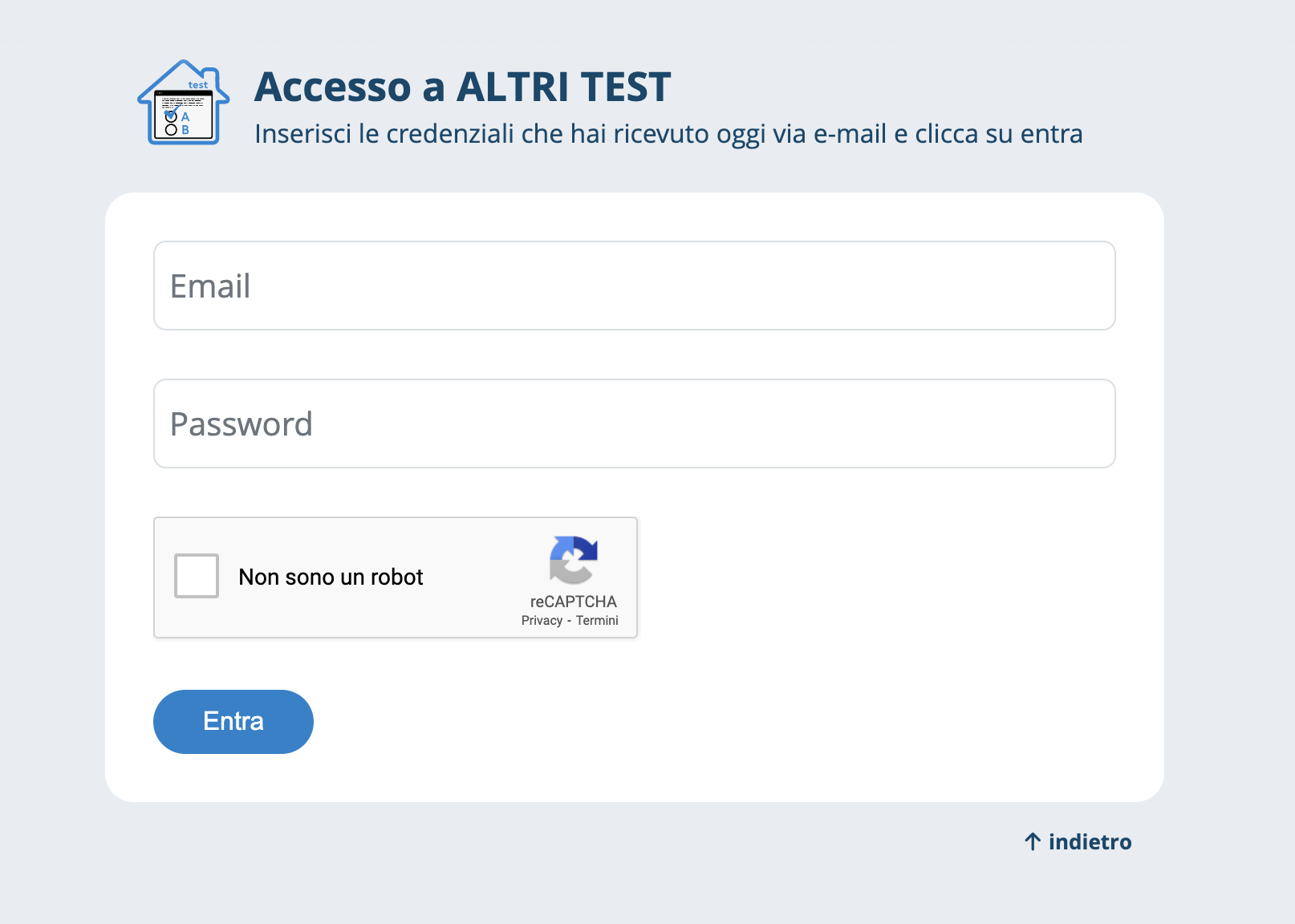
- Click on the link we will send you via email on the day of the test
- At the test entry time, enter your username and password
Pay attention to uppercase and lowercase letters
After clicking Enter:
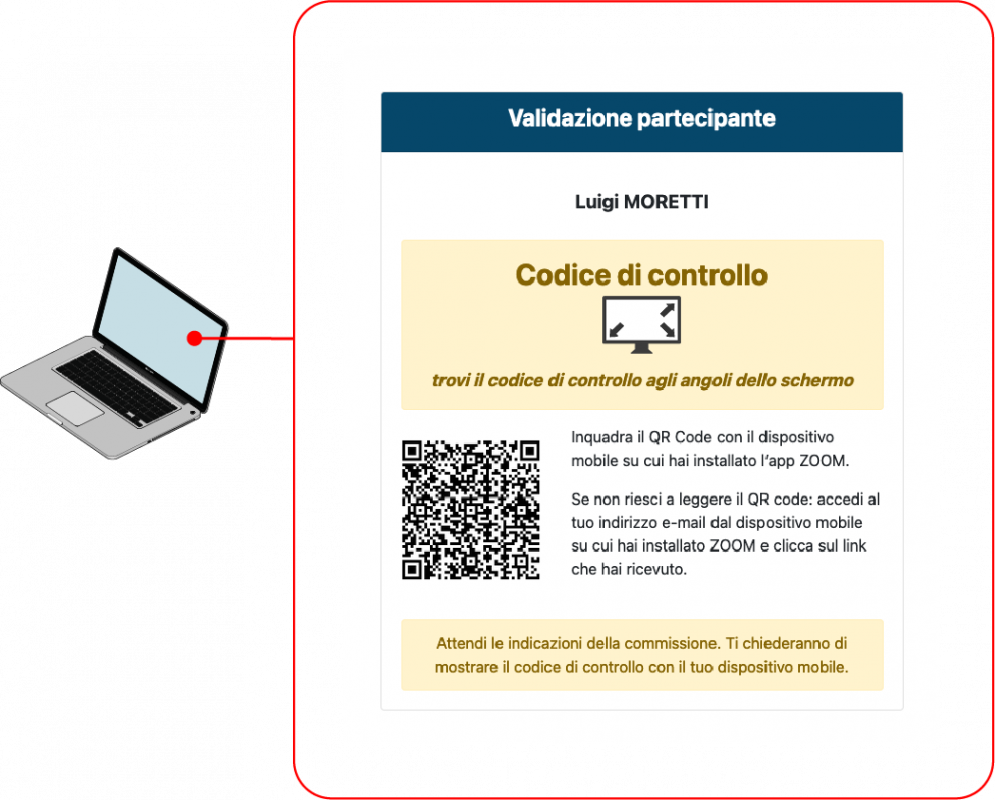
- A QR code will appear: use the camera on your mobile device to scan the QR code to access the virtual classroom via the WEBEX app. Alternatively, in the email you received, you'll find the link to join the virtual classroom
- In the corners of the QR code page, you will see a control code: show it to the supervisors when asked